Website Optimization for Small Businesses - From Traffic to Revenue
Master website optimization for small businesses with proven strategies that boost traffic, improve rankings, and attract more customers.

William Turner
Founder, William & Friends
Mar 2, 2026
6
Website optimization for small businesses isn't about checking boxes on an SEO audit. It's about building a system that actually generates leads and revenue. Most service business owners know their site should "work better," but they get buried under conflicting advice, shiny tools, and tactics that sound good but don't move the needle. The reality is simpler: your website needs to be fast, findable, and conversion-focused. Everything else is noise.
This guide walks you through the exact optimization priorities that matter in 2026, with clear action steps, real implementation examples, and honest guidance about what works and what doesn't.
Website optimization for small businesses in 2026 centers on four core systems: mobile-first performance (Core Web Vitals, sub-2-second load times), local SEO dominance (fully optimized Google Business Profile, local citations, review generation), strategic on-page and technical SEO (targeted keywords, clean site architecture, structured data), and conversion infrastructure (clear CTAs, tested user flows, analytics-driven improvements). Small businesses with modern, optimized websites report 15–50% higher revenue than those with outdated sites, and SEO returns around $22 for every $1 spent across industries. The biggest mistakes are slow load times, poor mobile experience, thin or generic content, and neglecting Google Search Console and Analytics. Prioritize high-impact fixes first (site speed, mobile optimization, GBP completion, and core service page optimization) then systematically build authority through content, local links, and technical refinement. Success is measured by qualified leads, conversion rate by source, and revenue growth, not vanity metrics like total traffic.
Key Points
Website optimization drives measurable ROI: Businesses with professional, optimized sites earn about 50% more revenue, and SEO leads close at 14.6% vs. 1.7% for outbound—an 8.5× better close rate.
Mobile-first performance is non-negotiable: 63% of website traffic comes from mobile, and sites loading in 1 second have 3× higher conversion rates than slower sites.
Local SEO is your competitive edge: Fully optimized Google Business Profiles surface 80% more often in search and generate 4× more website visits.
Technical foundations matter: Common issues like slow load times, crawl errors, and missing structured data directly reduce rankings and conversions.
Prioritize by impact, not effort: Focus on quick wins (site speed, GBP optimization, core page improvements) before expanding into broader content or link-building campaigns.
Track what matters: Measure qualified leads, conversion rates by source, and revenue, not just traffic or rankings.
What Website Optimization Means for Small Businesses
Website optimization for small businesses goes far beyond tweaking meta tags or sprinkling keywords into blog posts. It's a systematic approach to making your site fast, findable, and capable of turning visitors into paying customers. For service-based businesses (home services, contractors, commercial providers, local B2B firms) optimization means your website works as a 24/7 lead-generation engine, not just a digital brochure.
The landscape has shifted dramatically. Google now prioritizes mobile experience, page speed, and user satisfaction through Core Web Vitals. Local search has become more competitive, with map pack visibility tied directly to how well you optimize your Google Business Profile and manage your online reputation. Customers expect instant answers, frictionless navigation, and clear proof that you're the right choice.
The Core Components of Website Optimization
Website optimization for small businesses rests on four interconnected pillars: performance, discoverability, user experience, and conversion infrastructure. Performance means your site loads fast on mobile and desktop, meets Core Web Vitals thresholds, and doesn't frustrate visitors with slow images or clunky scripts. Discoverability covers everything from technical SEO (clean site architecture, proper indexing, structured data) to local SEO (Google Business Profile, citations, local keywords) to on-page optimization (strategic keyword targeting, clear headers, optimized title tags).
User experience ensures visitors can quickly find what they need: intuitive navigation, clear service descriptions, obvious calls to action. Conversion infrastructure is where many small businesses fail. Even if you drive traffic, are your forms simple? Do your CTAs stand out? Are you tracking which pages generate leads? Every element (from page speed to CTA placement) must be optimized around clear conversion pathways.
How Website Optimization Differs from Basic SEO
Basic SEO focuses narrowly on rankings: keyword research, backlinks, meta descriptions. Website optimization is broader and more business-focused. It includes technical performance (site speed, mobile responsiveness, security), conversion rate optimization (UX/UI, testing, user flows), and analytics integration (tracking qualified leads, not just traffic). SEO gets you found; optimization turns that visibility into revenue.
You can rank first for "plumbing services near me" and still lose the lead if your site loads slowly, looks outdated on mobile, or buries your phone number below three paragraphs of filler text. Businesses with modern, optimized websites report revenue increases of 15–50% compared with outdated sites. They're not just ranking better, they're converting better.
Why Website Optimization is Critical for Small Business Growth
Small businesses with websites grow roughly 2× faster than those without, and optimized websites amplify that advantage. Optimization directly impacts visibility (how often you appear in search results and maps), credibility (how trustworthy and professional you look), and conversion efficiency (how many visitors turn into leads or customers). For service businesses operating on tight margins, these improvements compound: more visibility means more qualified traffic, better UX means higher conversion rates, and better tracking means smarter marketing spend.
Yet about 40% of small businesses still do not invest in SEO, and many of those that do focus only on content or backlinks while ignoring site speed, mobile experience, and conversion design. The result? Wasted ad spend, lost organic leads, and frustrated customers who bounce to competitors.
Competitive Advantages for Small Businesses
A well-optimized website levels the playing field against larger competitors. You may not have their advertising budget, but you can outrank them locally by fully optimizing your Google Business Profile, targeting hyperlocal keywords, and maintaining faster, more user-friendly site performance. Local search rewards relevance and proximity, not just brand size. 18% of local mobile searches lead to a purchase within one day, meaning if your site is optimized for mobile and local intent, you capture high-value traffic that converts fast.
Beyond rankings, optimization builds trust. 88% of users are less likely to return after a bad experience, and 57% of internet users won't recommend a business with a poorly designed mobile site. A fast, professional, mobile-friendly site positions you as credible and reliable, which is crucial for service businesses where trust drives purchasing decisions.
Measurable Business Impact and ROI
The ROI of website optimization is quantifiable. SEO returns around $22 for every $1 spent across industries, and 40% of local SEO campaigns achieve ≥500% ROI. More concretely, SEO leads close at 14.6% vs. 1.7% for outbound, an 8.5× better close rate. For a small business, that difference is transformative: every dollar you invest in optimization generates more qualified leads, higher conversion rates, and lower cost per acquisition than most other channels.
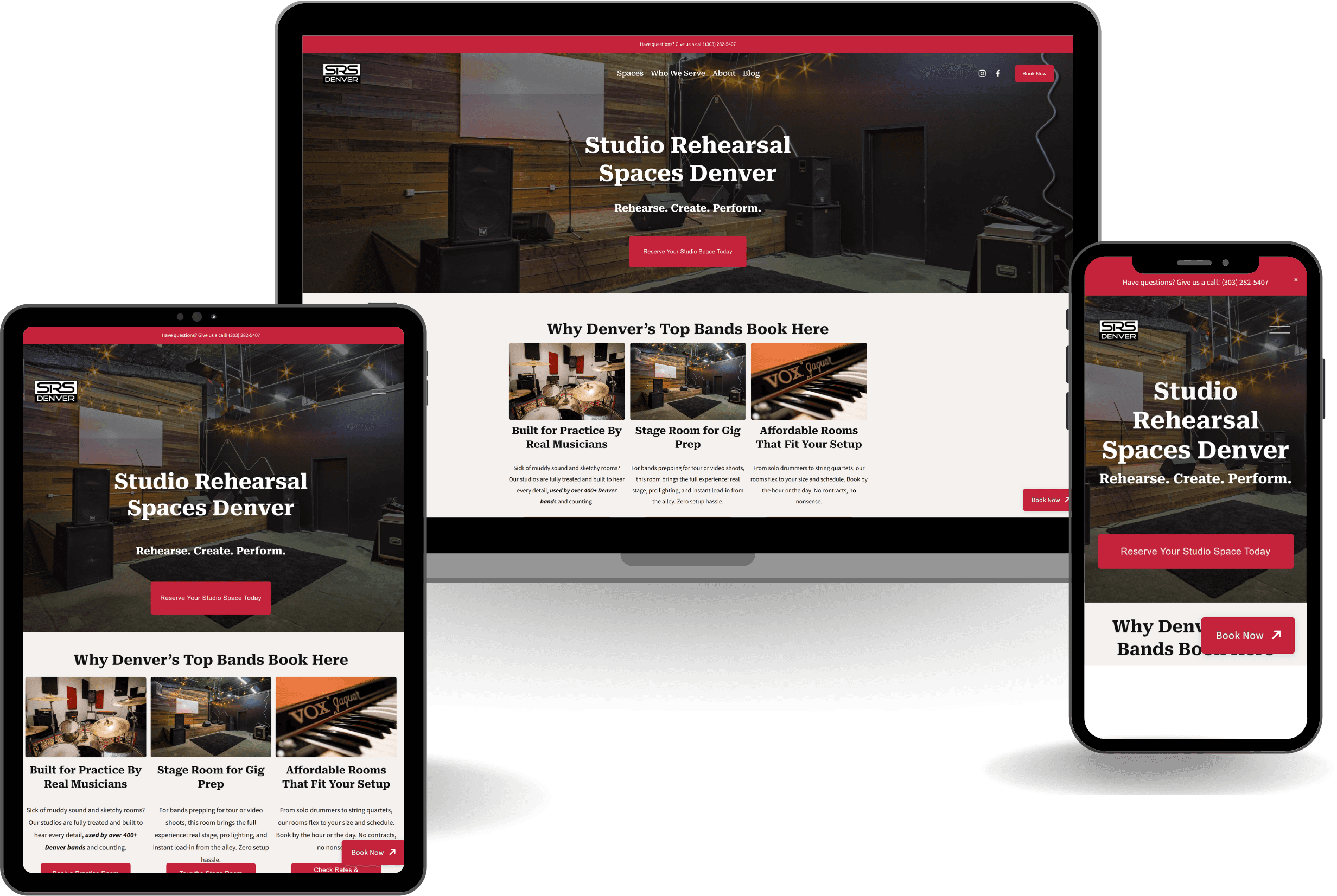
Real-world results validate this. Agencies report clients like a Colorado real estate firm achieving a 53% increase in clicks from SEO after website redesign work, or a commercial laundry business seeing 908% year-over-year growth from SEO. These results came from treating the website as a full-funnel system optimized for both traffic and conversion.
The Cost of Not Optimizing Your Website
Neglecting website optimization costs you in three ways: lost visibility, wasted marketing spend, and eroded trust. 21% of small businesses say low website traffic is their biggest challenge, yet many don't address the root causes (poor mobile experience, slow load times, weak local SEO). Meanwhile, 42% of people leave because of poor functionality, meaning even if you drive traffic through ads or referrals, you're losing leads to basic UX and performance issues.
The opportunity cost is even steeper. If your competitors are optimizing their sites and you're not, they capture the leads you're missing. If you're running paid ads but your landing pages are slow or unclear, you're burning budget on traffic that doesn't convert. Common issues like duplicate content, inconsistent NAP data, and incomplete service pages hurt both rankings and conversions. Fixing them is harder and more expensive than building correctly from the start.
Essential Website Optimization Foundations
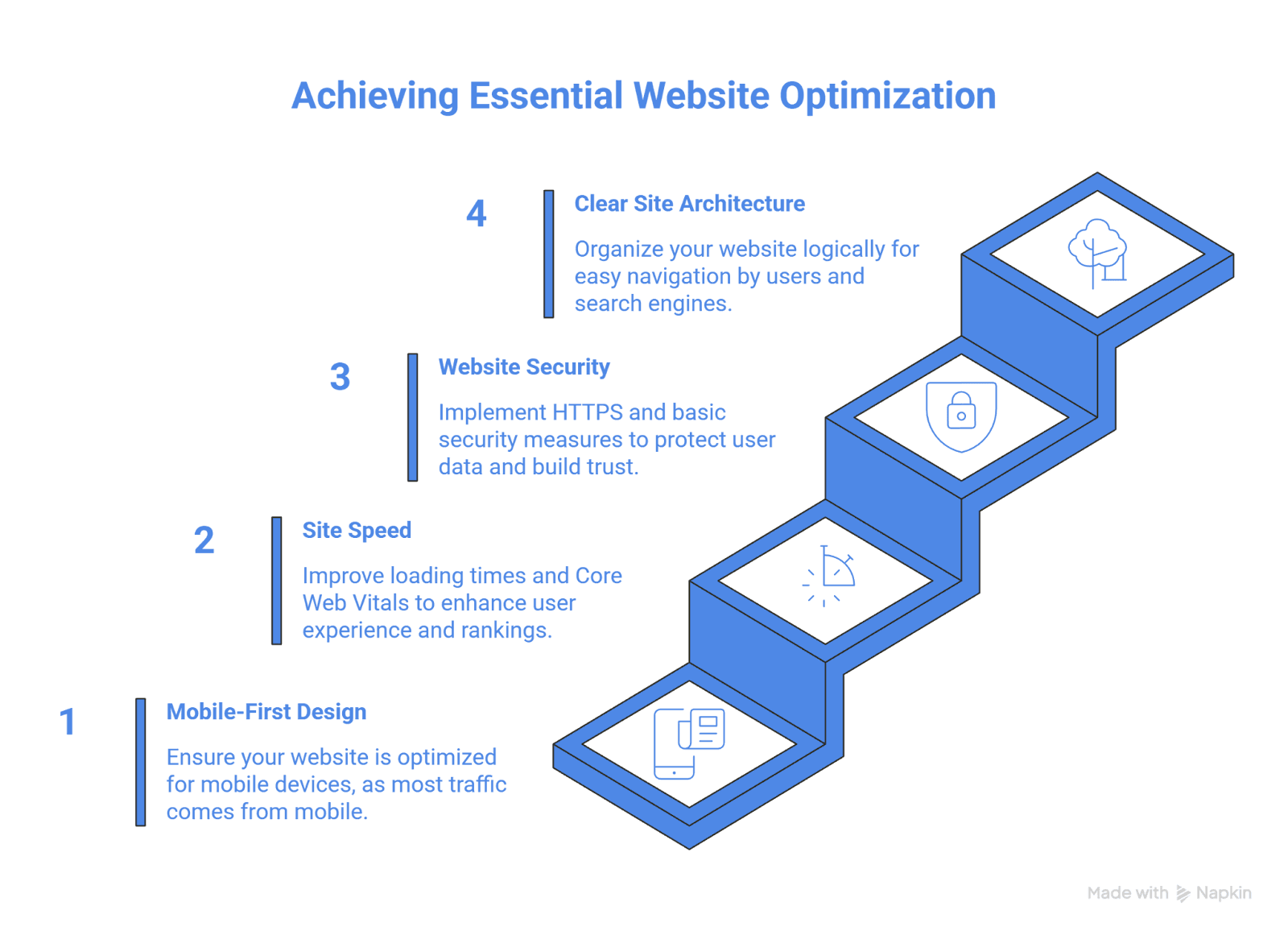
Before diving into advanced tactics, small businesses need solid technical and UX foundations. These are the non-negotiables: mobile-first design, fast load times and Core Web Vitals compliance, HTTPS security, and clear site architecture. Get these right and you create a baseline where everything else (SEO, content, conversion work) performs better.
Mobile-First Design and Performance
Google now uses mobile-first indexing, meaning the mobile version of your site determines your rankings. With 63% of website traffic coming from mobile, a site that isn't mobile-optimized is invisible to most of your audience. Mobile-first design means more than responsive layouts. It means fast mobile load times, touch-friendly navigation, readable text without zooming, and CTAs that work smoothly on small screens.
The performance gap is real: 57% of internet users won't recommend a business with a poorly designed mobile site. For service businesses, that translates directly to lost referrals and repeat customers. Test your site on actual mobile devices and focus on above-the-fold content loading instantly, forms that autofill, and tap targets large enough to use without frustration.
Site Speed and Core Web Vitals
Page speed is both a ranking factor and a conversion driver. A site speed study shows sites loading in 1 second have 3× higher conversion rates than slower sites. For small businesses, every second counts. Google's Core Web Vitals measure loading performance (LCP ≤ 2.5s), interactivity (INP ≤ 200ms), and visual stability (CLS ≤ 0.1). Meeting these thresholds improves rankings and keeps visitors engaged.
Real Implementation Examples: Before & After
Example 1: Agrofy (Online Marketplace) – LCP Optimization
An online marketplace faced high load abandonment due to slow Largest Contentful Paint. Their load abandonment was 3.8% (users left before the page fully loaded).
Technical changes implemented:
Converted hero images to WebP format and compressed them
Set explicit width/height attributes on images to prevent layout shifts
Inlined critical CSS to speed first render
Deferred non-critical CSS and JavaScript
Implemented full-page caching and CDN delivery
Results: LCP improved 70% and load abandonment dropped 76%, from 3.8% to 0.9%. This demonstrates how fixing LCP directly translates to more visitors completing page loads and entering your conversion funnel.
Example 2: Global E-commerce Brand – CLS Fix
An e-commerce site struggled with CLS of 0.25 (product images and buttons shifted while loading, causing user frustration and mis-clicks).
Technical changes implemented:
Reserved fixed dimensions for product images to prevent content jumping
Allocated layout space for recommendation carousels and promo banners
Stabilized "Add to cart" buttons by preventing late-loading components from moving them
Deferred third-party scripts that injected content near the top of viewport
Results: CLS improved from 0.25 to 0.05 (moving into Google's "good" range) and the business saw a 15% increase in conversions within three months.
Example 3: SaaS Product Page – JavaScript/INP Optimization
A B2B SaaS company had FID (now INP) of 500ms (users experienced laggy interactions due to heavy React app on the product page).
Technical changes implemented:
Split React bundle into smaller chunks, loading only minimal JS for above-the-fold
Replaced immediately-loaded full product demo with lightweight preview, loading full bundle only when users clicked
Moved non-UI computations to Web Workers to avoid blocking input handling
Used React Server Components to render more UI server-side
Results: FID improved from 500ms to <100ms and the company achieved a 21% increase in lead conversions.
How to Apply These Patterns to Your Site
Common speed killers include uncompressed images, render-blocking JavaScript, slow hosting, and excessive third-party scripts. Use tools like PageSpeed Insights and Google Search Console to identify bottlenecks, then fix them systematically. Prioritize above-the-fold content loading first, lazy-load images below the fold, and keep total page weight under 2MB.
Website Security and HTTPS
HTTPS is table stakes. Google treats it as a ranking signal, and browsers warn users away from non-secure sites. For service businesses handling lead forms or contact info, HTTPS is also a trust signal. Implementing HTTPS requires an SSL certificate (often free via Let's Encrypt or included with hosting) and updating internal links to HTTPS versions.
Beyond HTTPS, basic security hygiene matters: keep your CMS and plugins updated, use strong admin passwords, enable two-factor authentication, and run regular backups. A hacked or compromised site can lose all rankings overnight, and recovery is slow. Security also ties into user trust. If your site triggers browser warnings or looks outdated, visitors leave before they ever see your services.
Clear Site Architecture and Navigation
Site architecture determines how easily users and search engines find and understand your content. A shallow, logical structure (homepage → service pages → location/specialty pages → blog) helps Google crawl efficiently and helps visitors complete tasks without confusion. Use descriptive navigation labels, keep key pages within three clicks of the homepage, and avoid orphaned pages that have no internal links.
Internal linking reinforces architecture by distributing authority and guiding users through related content. Link from your homepage to core service pages, from service pages to case studies or FAQs, and from blog posts to relevant service pages. Breadcrumb navigation and clear URL structures improve both UX and SEO.
Local SEO Optimization for Small Businesses
Local SEO is where small service businesses win. Unlike national SEO, local search rewards proximity, relevance, and reputation (factors you can control even if you're competing against larger brands). A fully optimized Google Business Profile, targeted local keywords, consistent citations, and systematic review generation form the core of any local SEO strategy.
Google Business Profile Optimization: The Step-by-Step Process
Your Google Business Profile is your most powerful local SEO asset. Fully populated profiles surface 80% more often in search and generate 4× more website visits, 12% more calls, and 10% more direction requests. Yet many small businesses leave fields blank, choose vague categories, or upload no photos, all of which reduce visibility.
Action 1: Dial In Primary & Secondary Categories
Local SEO studies consistently show primary category as a top local pack ranking factor.
Step-by-step:
Go to GBP → "Edit profile" → "Business information" → "About"
Set the most commercially valuable, search-driven phrase as your primary category (e.g., "Personal injury attorney" vs "Lawyer")
Add 2–4 precise secondary categories that reflect clear services (e.g., "Family law attorney," "Bankruptcy attorney")
Check top-ranking competitors in the local pack and align categories with what they use
Revisit categories quarterly or when you add major services
Measure: Track "Calls," "Website visits," and "Direction requests" from GBP Insights before vs. after category changes. Monitor "Discovery searches" (non-brand) vs. "Direct searches." Goal: increase discovery searches and actions by 10–30% in 60–90 days.
Action 2: Systematize Review Generation & Responses
Review quantity, velocity, and content are core ranking and conversion factors. Each additional Google review leads on average to 80 extra website visits, 63 more direction requests, and 16 more calls.
Step-by-step:
Create a review funnel: add "Review us on Google" CTA to email signatures, invoices, and post-service SMS; use a review link shortener/QR code on receipts
Train staff to ask at peak satisfaction (right after successful service)
Aim for steady trickle: 5–20 new reviews/month
Reply to every review within 24–72 hours; for positive reviews, naturally reinforce key services and location
Track internal KPI: % of closed jobs where you requested a review (target 70–90%)
Common Roadblock: Many customers agree verbally but don't follow through.
Solution: Send review request via text within 2 hours of job completion with direct GBP link. Timing matters. HVAC clients have increased reviews from 2/month to 12/month using this approach.
Measure: Number of new reviews/month, average rating, and conversion rate from views to actions (calls, website visits, directions).
Action 3: Build a High-Engagement Photo Library
High-quality, varied photos are linked with higher profile clicks and engagement.
Step-by-step:
Add core image set: logo & cover photo, exterior & interior shots, team photos, on-the-job photos, product/service shots
Upload 10–30 initial photos, then 2–4 new photos monthly
Use bright, professional, horizontal images, ideally 1200px+ on the long side
Name files descriptively and write simple, human captions
Remove outdated/low-quality images periodically
Measure: Photo views vs competitors in GBP Insights, changes in click-through actions after photo pushes.
Action 4: Fully Build Out Products, Services & Attributes
Treating GBP as a mini-site with detailed services/products, clear descriptions, and attributes improves relevance and conversion.
Step-by-step:
Fill Services: create a section for each service group, list individual services, add short, specific descriptions (1–3 sentences)
Use Products strategically: create "product" entries for high-value, keyword-rich offers; link each to the matching service page on your website
Fill Attributes: add relevant options like "Wheelchair accessible," "LGBTQ+ friendly," "Online appointments," "On-site service"
Keep these synced with your website content
Measure: Clicks on products/services and resulting sessions/conversions on landing pages (via UTM tags); changes in non-brand discovery searches in GBP Insights.
Action 5: Add UTM Tracking & Monitor Insights
Without tracking, you cannot attribute results or prioritize what works.
Step-by-step:
Create UTM-tagged URLs (e.g.,
?utm_source=google&utm_medium=organic&utm_campaign=gbp_main)In GBP, replace standard website URL with UTM-tagged version; use UTM links in Products and Appointment fields
In GA4, create reports filtered by
utm_source=googleandutm_campaigntagsEvery 30–60 days, compare GBP "Views," "Searches," and "Actions" in Insights with GA4 conversions by UTM
Measure: Conversions and revenue by utm_campaign to produce clear, quantified ROI from GBP.
For additional guidance on securing your profile from spam and competitor attacks, see this comprehensive GBP spam prevention guide.
Local Keyword Targeting and Implementation
Local keywords include your service plus location modifiers: "emergency plumber Denver," "commercial cleaning Boulder," "HVAC repair near me." These terms capture high-intent searches from nearby customers. Use Google Search Console, keyword tools, and competitor research to identify which local phrases your audience uses, then integrate them naturally into title tags, H1s, service page copy, and meta descriptions.
Don't keyword-stuff or force awkward phrases. Structure content around local intent: create dedicated service pages for each location you serve, use neighborhood or landmark names in body copy, and write naturally about the areas you work in. The goal is relevance, not repetition.
Building Local Citations and Directory Presence
Local citations (mentions of your business name, address, and phone number (NAP) on other websites) reinforce your legitimacy to Google. Consistent citations across directories like Yelp, Better Business Bureau, Angi, industry-specific directories, and local chamber sites improve local search rankings. Inconsistent NAP data (old addresses, multiple phone numbers, misspellings) confuses search engines and dilutes your authority.
Start by auditing your existing citations for accuracy, then systematically claim and complete listings on the top local and industry directories. Use the exact same NAP format everywhere. This foundational work is unglamorous but effective. Pair citation work with genuine local partnerships: get listed on partner sites, local supplier pages, and community organization rosters for additional authoritative mentions.
Managing Reviews for Local Search Success
Reviews are a dual-purpose asset: they influence both rankings and conversions. 81% of all online reviews read by consumers are on Google, and systematic review generation directly impacts visibility and lead volume.
Build a review-generation system: ask every satisfied customer immediately after completing a job, make it easy by sending a direct GBP review link via email or text, and respond to every review (positive or negative) within 24 hours. Detailed reviews that mention specific services and locations add keyword relevance and social proof. Avoid review gating, incentivizing reviews with discounts, or posting fake reviews. All violate Google's policies and can result in profile suspensions.
On-Page SEO Optimization Strategies
On-page SEO ensures each page on your site clearly communicates its purpose to search engines and users. Strategic keyword research, optimized title tags and headers, high-quality content, and smart internal linking form the backbone of on-page optimization.
Strategic Keyword Research for Small Businesses
Keyword research identifies the exact phrases potential customers use when searching for your services. Tools like Ubersuggest, Google Keyword Planner, and Ahrefs help you find search volume, competition, and intent behind keywords. Focus on high-intent, local, and long-tail keywords that signal buying readiness: "same-day HVAC repair," "affordable web design Denver," "emergency locksmith near me."
Once you've identified target keywords, map them to specific pages. Your homepage should target your primary brand and service terms. Individual service pages should each focus on one core keyword and related variants. Blog posts can capture informational, mid-funnel keywords. Avoid keyword cannibalization (when multiple pages compete for the same term) by ensuring each page has a unique target keyword and purpose.
Optimizing Title Tags, Meta Descriptions, and Headers
Title tags and meta descriptions are your first impression in search results. A compelling, keyword-rich title drives clicks. Keep titles under 60 characters, include your primary keyword, and add a value signal or location: "Best Plumbing Services in Denver | 24/7 Emergency Repair." Meta descriptions don't directly affect rankings but influence click-through rate. Write 150–160 characters that summarize the page's value and include a clear call to action.
A controlled test showed adding "best" to title tags produced a statistically significant positive impact on organic traffic, attributed to higher CTR. Another case study saw a 40% increase in CTR by replacing generic titles like "About Our Company" with keyword-rich, benefit-oriented titles. Headers (H1, H2, H3) structure your content for readability and SEO. Use one H1 per page, then use H2s and H3s to organize subtopics logically.
Creating SEO-Optimized Content That Converts
Content is where on-page SEO meets conversion optimization. Your goal isn't just to rank, it's to answer user questions, build trust, and guide visitors toward contacting you or booking a service. Write for humans first: address common customer pain points, provide clear explanations, and avoid jargon or filler. Then optimize naturally by including target keywords in the first 100 words, headers, and body copy without forcing them.
High-converting content is specific, actionable, and proof-backed. Instead of generic statements like "We offer quality service," write "We complete 90% of furnace repairs the same day and back every job with a one-year warranty." Use short paragraphs, bullet lists for clarity, and strong CTAs throughout. Design content around the buyer's journey, ensuring every page has a clear next step.
Internal Linking Structure
Internal links connect related pages on your site, distributing authority and helping users navigate. A strong internal linking structure improves crawlability, reduces bounce rate, and reinforces topic clusters. Link from your homepage to core service pages, from service pages to location-specific pages or FAQs, and from blog posts to relevant service or case study pages.
Use descriptive anchor text that tells users and search engines what the linked page is about: "our emergency plumbing services" instead of "click here." Prioritize linking to high-value pages to pass them more authority. Regularly audit for broken internal links using tools like Screaming Frog or Google Search Console, and fix them promptly.
Technical SEO Improvements That Drive Results
Technical SEO ensures search engines can crawl, index, and understand your site efficiently. For small businesses, technical issues like crawl errors, missing structured data, duplicate content, and improper sitemap configuration often go unnoticed but directly reduce visibility. Fixing these problems delivers measurable ranking and traffic gains.
Fixing Crawlability and Indexation Issues
Search engines must crawl and index your pages before they can rank. Common crawlability problems include robots.txt blocking important pages, broken internal links, 404 errors, and pages flagged as noindex. Use Google Search Console's Coverage report to identify indexation issues, then fix them: update or remove robots.txt blocks, redirect 404s to relevant pages, and ensure your key pages return 200 status codes.
Orphaned pages (pages with no internal links) are invisible to crawlers and users. Run a site crawl with Screaming Frog or similar tools to find orphaned pages, then either link to them from relevant sections or remove them if they're low-value. Review your XML sitemap: it should only include canonical, indexable URLs. Clean crawlability ensures Google discovers and ranks your best content.
Structured Data and Schema Markup
Structured data (schema markup) helps search engines understand your content and makes you eligible for rich results (enhanced SERP features like star ratings, business hours, prices, and FAQ snippets). For small businesses, relevant schemas include LocalBusiness, Service, Product, FAQPage, and BreadcrumbList. Implementing schema using JSON-LD is straightforward and can significantly improve visibility.
Adding FAQPage schema to a service page can make it eligible for FAQ rich results, which expand your SERP presence and improve CTR. LocalBusiness schema on your contact page reinforces your NAP data and business details. Validate your markup using Google's Rich Results Test and fix any errors. Customers are 2.7× more likely to view a business as reputable if it has a complete Google Business Profile, and structured data extends that trust signal by making your site easier for search engines to interpret.
Eliminating Duplicate Content Problems
Duplicate content (identical or very similar content on multiple URLs) confuses search engines and splits ranking signals. Common causes include www vs. non-www versions, HTTP vs. HTTPS, URL parameters, and pagination. Use canonical tags to indicate the preferred version of each page, implement 301 redirects from duplicate URLs to the canonical, and configure your CMS to prevent duplicate content generation.
For small businesses, syndicated or boilerplate content (e.g., manufacturer descriptions repeated across multiple product pages) is another frequent issue. Differentiate pages by adding unique descriptions, local context, or custom benefits. Consolidating and rewriting duplicate pages typically improves rankings and user engagement.
XML Sitemaps and Robots.txt Configuration
XML sitemaps list all the pages you want indexed, making it easy for search engines to discover your content. Generate a sitemap using your CMS or a sitemap tool, then submit it via Google Search Console. Keep sitemaps clean: include only canonical, live, indexable URLs, and update them automatically when you add or remove pages.
Robots.txt tells search engines which parts of your site to crawl or ignore. Use it to block unimportant areas like admin pages, search result pages, or duplicate faceted URLs, but never block important content. Test your robots.txt file in Google Search Console's robots.txt Tester, and review it whenever you make site changes. Proper sitemap and robots.txt configuration ensures crawl budget is spent on your best pages.
Building Authority Through Off-Page Optimization
Off-page SEO (primarily link building, brand mentions, and social signals) builds your site's authority and trustworthiness in Google's eyes. For small businesses, quality matters more than quantity: a few authoritative local links outweigh dozens of low-quality directory spam. Focus on earning links from reputable, relevant sources through genuine relationships and valuable content.
Link-Building Strategies for Small Businesses
Link building for small businesses centers on relevance, locality, and relationship-driven outreach. Join your local Chamber of Commerce, business associations, and industry groups to earn authoritative directory links tied to your region. Systematically ask suppliers, partners, and tools you use for inclusion on partner, vendor, or testimonial pages. These links are natural, low-risk, and contextually relevant.
Create linkable local assets like comprehensive guides, checklists, or original data (e.g., "Complete homeowner maintenance checklist for Colorado" or "2026 pricing benchmarks for Denver contractors"). Then, pitch these resources to local bloggers, news sites, and complementary businesses who can link to them. Avoid link schemes, paid links, or mass directory submissions. Google penalizes manipulative link-building.
Leveraging Local Partnerships and Relationships
Partner with non-competing but related local businesses to cross-promote services and earn mutual links. A plumber could partner with an electrician, a photographer with event venues, or a web designer with marketing agencies. Collaborate on joint guides, co-host webinars or events, or feature each other's services with contextual links.
Local press and digital PR also generate high-quality links. Pitch stories to local newspapers, business journals, and industry publications. Focus on community involvement, new services, original local data, or expert commentary on local trends. Journalists value useful, newsworthy content, and editorial mentions build both authority and brand awareness.
Social Signals and Brand Mentions
While social media links are typically nofollow (don't pass direct SEO value), social engagement indirectly influences rankings. Active social profiles increase brand visibility, drive referral traffic, and generate mentions and shares that can lead to earned links. Maintain consistent, engaging presences on platforms your customers use and share valuable content, project updates, and customer success stories.
Brand mentions (even unlinked) signal authority and relevance to search engines. Encourage customers to talk about your business, share testimonials on their own sites, and participate in local community discussions. The cumulative effect of social signals, mentions, and engagement reinforces your brand's credibility and can improve overall search performance, especially for local queries where reputation matters.
Setting Up Essential Optimization Tools
Effective optimization requires tracking, measurement, and ongoing refinement. For small businesses, a few free and affordable tools provide all the insights you need to monitor performance, identify issues, and make data-driven decisions. Google Search Console and Google Analytics form the foundation, supplemented by keyword research and crawl tools.
Google Search Console and Google Analytics Setup
Google Search Console (GSC) is essential for understanding how your site performs in search. It shows which queries drive traffic, your click-through rate, indexing status, Core Web Vitals performance, and manual penalties. Set up GSC by verifying your domain, submitting your sitemap, and reviewing the Coverage and Performance reports regularly. Use GSC to spot sudden ranking drops, technical errors, and opportunities to improve CTR by rewriting titles or meta descriptions.
Google Analytics 4 (GA4) tracks user behavior and conversions. Set up GA4 to monitor traffic sources, user flows, time on site, bounce rate, and goal completions (form submissions, calls, bookings). Configure conversion events for your key business outcomes so you can tie optimization work to actual leads and revenue. Together, GSC and GA4 give you a complete picture of search visibility and on-site behavior. Critical for prioritizing optimization tasks.
Free and Affordable SEO Tools for Small Businesses
Beyond Google's tools, several affordable options give small businesses enterprise-level insights. Ubersuggest offers keyword research, basic site audits, and rank tracking starting around $20/month and is consistently recommended as the best affordable SEO tool for small businesses. Screaming Frog's free version crawls up to 500 URLs and surfaces broken links, duplicate content, and missing metadata.
Moz's free tools (MozBar, free keyword explorer) provide accessible SERP and authority insights, while tools like Answer the Public help you discover question-based keywords your customers are searching. Don't over-invest in expensive software at the start. Free and low-cost tools plus consistent execution deliver better results than premium tools left unused.
Monitoring and Tracking Your Performance
Establish a routine for monitoring performance: weekly checks of GSC for new errors or indexation issues, monthly reviews of GA4 for traffic and conversion trends, and quarterly audits of site speed, mobile usability, and link profile. Track KPIs that matter (qualified leads, conversion rate by source, cost per acquisition) not vanity metrics like total visits. Use UTM parameters to tag campaigns and links so you know which channels drive results.
Set up alerts in GSC for critical issues (manual penalties, indexation drops) and in GA4 for sudden traffic changes. Regularly review which pages generate the most leads and which have the highest bounce rates, then optimize accordingly. Measure what drives revenue, not just rankings. Optimization is a continuous cycle of testing, measuring, and refining based on real data.
Common Website Optimization Mistakes to Avoid
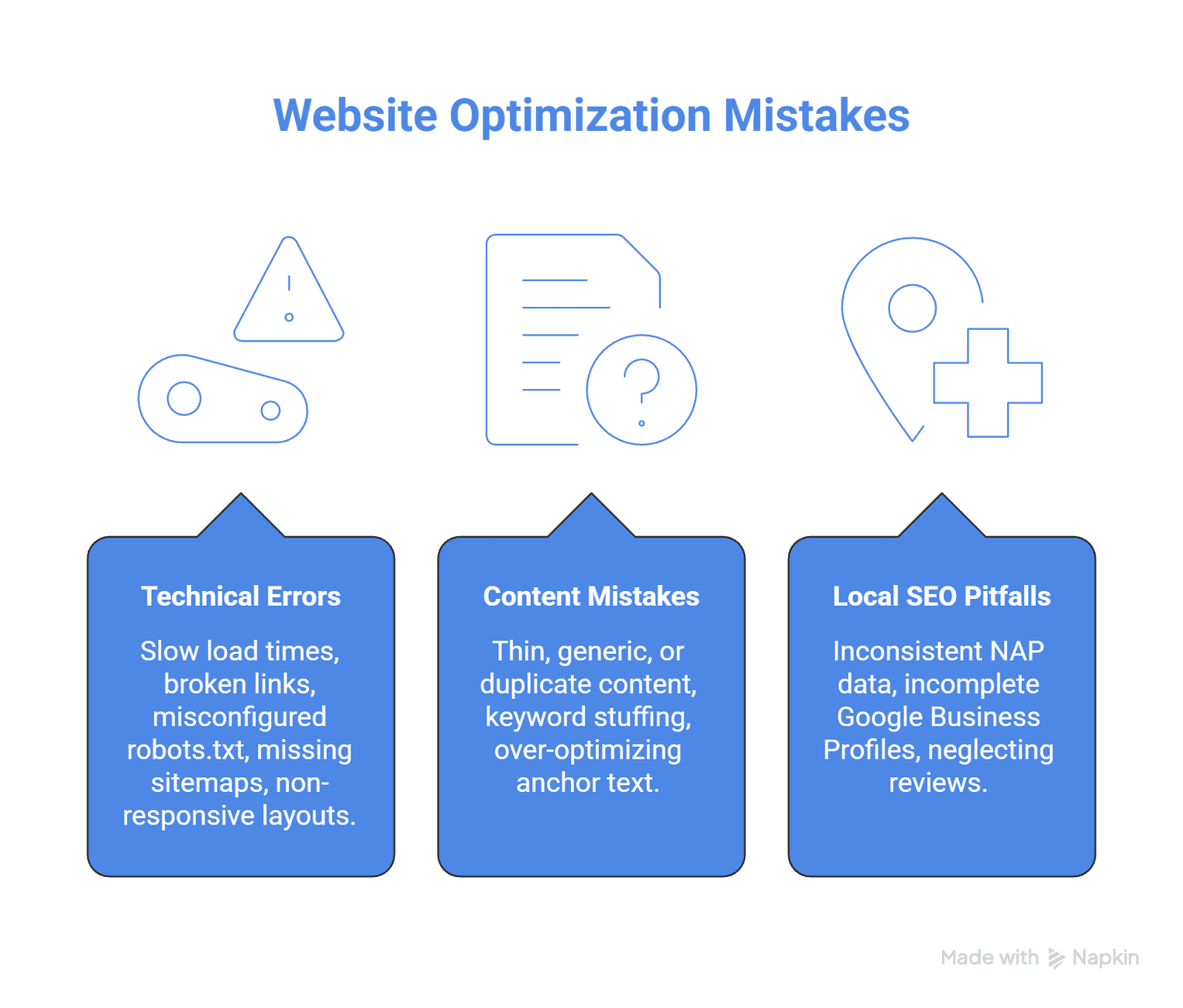
Even well-intentioned small businesses make costly optimization mistakes. The most common: slow load times, poor mobile experience, weak conversion infrastructure, thin or generic content, and neglecting analytics. Avoiding these pitfalls accelerates results and prevents wasted effort.
Technical Errors That Hurt Rankings
Slow load times remain one of the most frequent and damaging technical issues. 88% of users are less likely to return after a bad experience, and slow sites lose rankings and conversions. Other common technical errors include broken internal links, misconfigured robots.txt blocking key pages, missing XML sitemaps, and non-responsive mobile layouts.
A technical SEO case study documented a small ecommerce store that lost ~40% of organic sessions after a theme migration introduced hundreds of broken internal links and misconfigured 302 redirects. After fixing link paths and replacing 302s with 301s, the site gradually recovered. The lesson: audit technical foundations regularly, fix errors promptly, and test thoroughly after any major site changes.
Content and Keyword Mistakes
Thin, generic, or duplicate content is a silent killer of rankings. A case study showed a small B2B services company that published dozens of near-duplicate AI-generated pages targeting slight keyword variations, leading to keyword cannibalization and a ~30% decline in organic traffic. After pruning low-value pages, consolidating topics, and rewriting for expertise and uniqueness, the main service URLs regained visibility.
Avoid keyword stuffing, over-optimizing anchor text, and publishing content without a clear purpose or target keyword. Write for humans first, then optimize naturally. Each page should have a unique focus, provide genuine value, and include a clear call to action.
Local SEO Pitfalls
Inconsistent NAP data, incomplete Google Business Profiles, and neglecting reviews are among the most damaging local SEO mistakes. A local SEO case study documented a small home services client whose unclaimed and inconsistent GBP listings led to a sharp drop in local pack impressions and calls. After fixing NAP inconsistencies, optimizing categories, and adding photos and Q&A, the business saw local visibility and calls recover and surpass previous levels.
Don't ignore your GBP, leave fields blank, or fail to respond to reviews. Local search rewards completeness, consistency, and engagement. Regularly audit your citations for accuracy, proactively manage your online reputation, and use GBP as an active conversion tool.
Why Small Business SEO Often Fails: Learning from Industry Experts
Understanding why optimization fails is as important as knowing what to do. SEO industry experts consistently identify four failure patterns that undermine small business optimization efforts.
Using Outdated Tactics Instead of Durable Strategy
Many small businesses still operate on pre-2020 playbooks—keyword stuffing, thin blog posts, low-quality link schemes—rather than aligning with modern Google updates that emphasize helpful content, E-E-A-T, and UX. This shows up as buying cheap "SEO packages" that promise X backlinks and Y blog posts per month with no real strategy, or publishing dozens of short, AI-spun posts that don't demonstrate expertise.
After Helpful Content and core updates, sites relying on mass, low-quality content lost 40–80% of organic traffic; those that rewrote content to be expert-driven and user-focused gradually recovered. Google's algorithms now evaluate topical depth, user behavior, and credibility, not just keyword presence. Shortcuts save budget short-term but create update risk: each core update can wipe out traffic built on fragile tactics.
Weak Content Strategy: Wrong Topics, Wrong Intent
Most small-business SEO fails at the content layer. Typical patterns include targeting keywords that are too competitive instead of realistic long-tail or local phrases, chasing high-volume terms with no buyer intent while ignoring service queries that actually drive leads, and creating content that doesn't match search intent or just lightly brushes the topic.
Agencies consistently observe pages with thin, generic content and no topical completeness struggling to rank even with some links, and blogs created mainly "for SEO" with no unique perspective generating no engagement or leads. A common failure pattern.
Ignoring Technical and UX Fundamentals
Specialists repeatedly say that many small business owners "do SEO" but never properly fix technical SEO or user experience, so Google either can't crawl key pages or users bounce quickly. Common failure points include crawlability issues (misconfigured robots.txt, missing sitemaps, orphaned pages), duplicate or conflicting URLs without canonical tags, slow load speed and poor Core Web Vitals, especially on mobile, and non-responsive or broken mobile layouts.
Agencies report cases where fixing site speed, mobile rendering, internal links, and indexing issues led to significant organic growth without adding new content, underscoring that technical issues were the main cause of failure. Google uses mobile-first indexing and incorporates UX metrics (like Core Web Vitals) into ranking systems; a slow, clunky site blocks success even with good content.
Poor Local SEO & Lack of Ongoing Investment
For local businesses, experts highlight weak local foundations and a "set-and-forget" mindset as critical failure causes. Problems include unclaimed or poorly managed Google Business Profiles, NAP inconsistencies across directories, no location-specific landing pages, and missing local schema markup, reviews strategy, and local backlinks.
Strategically, businesses treat SEO as a one-time project rather than an ongoing process, fail to track key metrics (organic leads, rankings, CTR, engagement), and under-budget, expecting enterprise results from minimal spend. These patterns lead to cut corners and invisible problems until traffic collapses.
Creating Your Website Optimization Action Plan
An action plan turns strategy into execution. For small businesses, the key is prioritizing high-impact tasks first, deciding whether to DIY or hire help, and setting realistic timelines. Don't try to do everything at once. Focus, execute, measure, adjust.
Prioritizing Optimization Tasks by Impact
Use a phased prioritization framework. Start with Month 1 Quick Wins: Google Business Profile optimization, fixing site speed issues, ensuring mobile responsiveness, and optimizing core service page title tags and meta descriptions. These tasks deliver immediate visibility and UX improvements with minimal effort.
Next, move to Structured Build-Out (Months 2-3): map high-intent keywords to specific pages, build or rewrite core service pages with clear CTAs, fix crawlability and indexation issues, and implement basic schema markup. Finally, invest in Deep Authority & Clusters (Months 4-12): create pillar content and topic clusters, build local links through partnerships and PR, and systematically improve content quality based on performance data. This phased approach ensures you finish high-impact work before expanding.
DIY vs. Professional Help: Making the Right Choice
Some optimization tasks are DIY-friendly: updating title tags, writing better content, adding photos to your GBP, fixing broken links. Others (technical audits, schema implementation, link-building outreach, conversion rate optimization) benefit from professional expertise.
You likely need professional help if:
Your site has persistent technical issues you can't diagnose (crawl errors, indexation problems, slow load times despite basic fixes)
You're in a competitive market where competitors have strong optimization and you're falling behind
You lack time to execute consistently or need faster results than DIY allows
Your current traffic doesn't convert and you need UX/CRO expertise
You can likely DIY if:
You're in a low-competition market (small town, specialized niche)
You have time to learn and execute consistently over 6-12 months
Your site has solid technical foundations and just needs content and local SEO work
You're comfortable with tools like GSC, GA4, and basic CMS configuration
Transparency note: Professional services (including William & Friends) deliver faster, more systematic results, but these recommendations are based on what actually moves the needle for small businesses, regardless of who implements them. If you're hands-on and willing to learn, free tools and consistent execution can deliver strong outcomes. Just expect a longer timeline.
Setting Realistic Timelines and Expectations
SEO and website optimization take time. Expect to see initial technical and on-page wins (better site speed, improved GBP visibility) within 1–3 months, broader organic traffic growth within 3–6 months, and sustained authority and conversion improvements over 6–12 months. Strong benchmarks show 10–20% month-over-month traffic growth for small businesses actively investing in SEO, especially in the first year.
Timeline expectations depend heavily on competition. In low-competition markets (small towns, specialized B2B services), you may rank within 1-2 months. In competitive markets (contractors in major metros), expect 6-12 months to break into top positions even with strong optimization.
Set clear milestones: Month 1 focus on quick wins, Months 2–3 on structured page optimization and local SEO, Months 4–6 on content creation and link building, and Months 7–12 on testing, refinement, and scaling. Track progress monthly using GSC and GA4, adjust tactics based on data, and stay patient. Optimization is a marathon, but the compounding returns make it one of the highest-ROI investments you can make.
When Optimization Alone Isn't Enough
Optimization works best when you have a differentiated service offering. If you're the 47th generic plumber in Denver with identical services, optimization helps but won't overcome fundamental positioning problems. Consider specialization (emergency-only, commercial-only), guarantees (same-day or free), or unique service models before investing heavily in optimization.
In extremely competitive markets, paid ads may be more cost-effective initially while you build organic authority. Optimization amplifies a good business; it doesn't fix a broken one. If you're optimizing your website but still not seeing results, common reasons include targeting keywords that don't match customer search behavior, having fundamental business model or service quality issues that prevent conversions, or operating in markets where competitors have multi-year head starts.
Measuring Your Website Optimization Success
Success isn't measured by rankings alone, it's measured by business outcomes. For small businesses, the KPIs that matter are qualified leads, booked appointments, conversion rate by source, and revenue growth. Track these metrics consistently to understand what's working and where to invest next.
Key Performance Indicators (KPIs) to Track
Track qualified leads and booked appointments as primary conversions, not just form submissions or traffic. Use GA4 to set up conversion events for calls, form submissions, quote requests, and bookings, and segment by traffic source to see which channels deliver the best leads. Monitor conversion rate by source to identify whether organic, local, direct, or paid traffic converts most efficiently.
Track top-converting pages and user paths to understand which pages generate leads and which lose visitors. Use GSC to monitor click-through rate by query and identify opportunities to improve titles or meta descriptions for better CTR. Finally, tie performance to revenue: measure cost per acquisition, customer lifetime value, and overall marketing ROI to ensure optimization efforts drive profitable growth.
Analyzing User Behavior and Engagement
Beyond conversions, analyze time on site, bounce rate, and pages per session to understand engagement. High bounce rates on key service pages signal UX or messaging problems. Low time on site suggests content isn't engaging or relevant. Use GA4's behavior flow reports to see where users drop off and optimize those points.
Test variations of headlines, CTAs, and page layouts using A/B testing tools or simple before/after comparisons. For example, if you redesign a service page, track conversion rate for 30 days before and after the change. Small, iterative improvements compound: better headlines, clearer CTAs, faster load times, and more compelling copy all incrementally improve results.
Adjusting Strategies Based on Data Insights
Optimization is iterative. Review performance monthly, identify what's working and what's not, then adjust. If organic traffic is growing but conversions are flat, focus on UX and CTAs. If local visibility is strong but traffic is low, revisit keyword targeting and content quality. If certain service pages drive most leads, double down on promoting and linking to those pages.
Use GSC's Performance report to find "opportunity queries" (keywords where you rank #5–#10 with decent impressions but low CTR). Optimize those pages to capture more clicks. Use GA4 to identify high-bounce pages and test improvements. This operator mindset (measure, analyze, adjust) is how you continuously improve results without wasting effort on low-impact tasks.
Top 5 Mistakes Service Businesses Make When Optimizing Websites
Optimize smarter by avoiding the most common, costly mistakes that service-based businesses make when trying to improve their websites.
1. Prioritizing aesthetics over conversion infrastructure
Many service businesses redesign for "looks" without testing CTAs, simplifying forms, or mapping user flows. Pretty doesn't generate leads. Clear value propositions, obvious next steps, and frictionless contact paths do.
2. Ignoring Google Business Profile or leaving it incomplete
GBPs that are 80% complete earn 4× more website visits than basic profiles, yet many businesses never verify, add photos, or respond to reviews. This single asset drives most local visibility and should be treated as your top marketing channel.
3. Publishing thin, AI-generated content without editing or expertise
Generic AI content with no unique insight, local context, or human editing cannibalizes rankings and erodes trust. Write fewer, better pages that demonstrate real expertise, answer customer questions, and include proof points like case studies or testimonials.
4. Neglecting mobile performance and Core Web Vitals
With 63% of traffic on mobile, a slow or clunky mobile experience kills conversions and rankings. Test your site on real devices, fix load time issues, and ensure forms and CTAs work smoothly on small screens.
5. Not tracking leads and conversions in analytics
Traffic and rankings mean nothing if you don't know which sources generate paying customers. Set up conversion tracking in GA4, use call tracking, and regularly review which channels and pages drive qualified leads. Then invest more in what works.
Frequently Asked Questions About Website Optimization for Small Businesses
What is website optimization, and how does it differ from SEO?
Website optimization is a holistic approach that includes SEO (improving search rankings) plus technical performance, user experience, conversion rate optimization, and analytics integration. SEO gets you found; optimization ensures visitors convert into leads and customers. Both are essential for small business growth.
How much does website optimization cost for a small business?
Costs vary widely. DIY optimization using free tools (Google Search Console, Analytics, Ubersuggest) costs only time. Professional optimization services range from $500–$5,000/month depending on scope, with higher-end agencies offering full-funnel systems. Most small businesses see ROI of $22 for every $1 spent on SEO, making it one of the highest-return marketing investments.
How long does it take to see results from website optimization?
Expect quick wins (better site speed, improved GBP visibility) within 1–3 months, organic traffic growth within 3–6 months, and sustained authority and conversion improvements over 6–12 months. Results depend on your starting point, competition, and consistency of execution. Small businesses actively optimizing their sites see 10–20% month-over-month traffic growth in the first year.
Can I optimize my website myself, or do I need to hire an expert?
Many optimization tasks (updating content, fixing broken links, optimizing your Google Business Profile) are DIY-friendly with free tools and learning resources. More complex work like technical audits, schema implementation, and conversion rate testing benefits from professional help. Assess your bandwidth and skills honestly; even small businesses can achieve strong results with consistent effort and the right guidance.
What are the most important metrics to track for website optimization success?
Track qualified leads, booked appointments, and conversion rate by source as your primary KPIs. Also monitor organic traffic growth (GSC), Core Web Vitals (PageSpeed Insights), bounce rate and time on site (GA4), and customer acquisition cost. Focus on business outcomes (revenue and leads) not vanity metrics like total traffic or keyword rankings alone.
How do I optimize my website for local search?
Start by fully optimizing your Google Business Profile: verify, complete all fields, add photos, and respond to reviews. Build consistent local citations (NAP) across directories, target local keywords in your content, and create location-specific service pages. Earn local links through partnerships, Chamber memberships, and press mentions. Local SEO delivers high ROI for service businesses, with 18% of local mobile searches leading to a purchase within one day.
What if I optimize my website but still don't see results?
Common reasons include: targeting keywords that don't match customer search behavior, operating in extremely competitive markets where paid ads may be more cost-effective initially, or having fundamental business model or service quality issues that prevent conversions. Optimization amplifies a good business; it doesn't fix a broken one. If results are stagnant after 6 months of consistent, proper optimization, reassess your positioning, competition level, and whether you're solving a problem customers actually have.
Conclusion
Website optimization for small businesses in 2026 isn't about chasing algorithm updates or piling on tactics. It's about building a system that consistently generates qualified leads and revenue. The businesses that win focus on mobile-first performance, local SEO dominance, clean technical foundations, and conversion-focused design. They measure what matters, iterate based on data, and treat their website as the hub of a predictable growth engine.
For service-based businesses, optimization delivers measurable results when implemented systematically. Companies have achieved 53% increases in organic clicks, 908% year-over-year SEO growth, and 65% reductions in cost per lead. Not through magic, but through systems thinking and operator-focused execution.
Ready to stop guessing and start growing? Talk to experts about building a website optimization system that generates predictable, profitable leads for your service business, or begin implementing the strategies in this guide today. The choice to optimize is the choice to compete. In 2026, optimization is how small businesses win.
Frequently asked questions
William Turner
Founder, William & Friends
Hey, I’m William, founder of William & Friends in Denver. We help service businesses get found, get chosen, and get booked. SEO, CRO, and ads tied to clean reporting. Recent wins include 908% year-over-year traffic for a commercial laundry brand and 39% more revenue attributed to organic search for a Denver studio. I write about conversion math, offer-to-channel fit, and operator-grade marketing. If you want the truth about where your pipeline leaks, grab the free marketing audit.
Success Studies
Growth Happens Here
See how our strategies have helped clients dominate their markets: